
Download INK361 – Instagram Viewer for Windows, Mac, Android & iOS
Overview
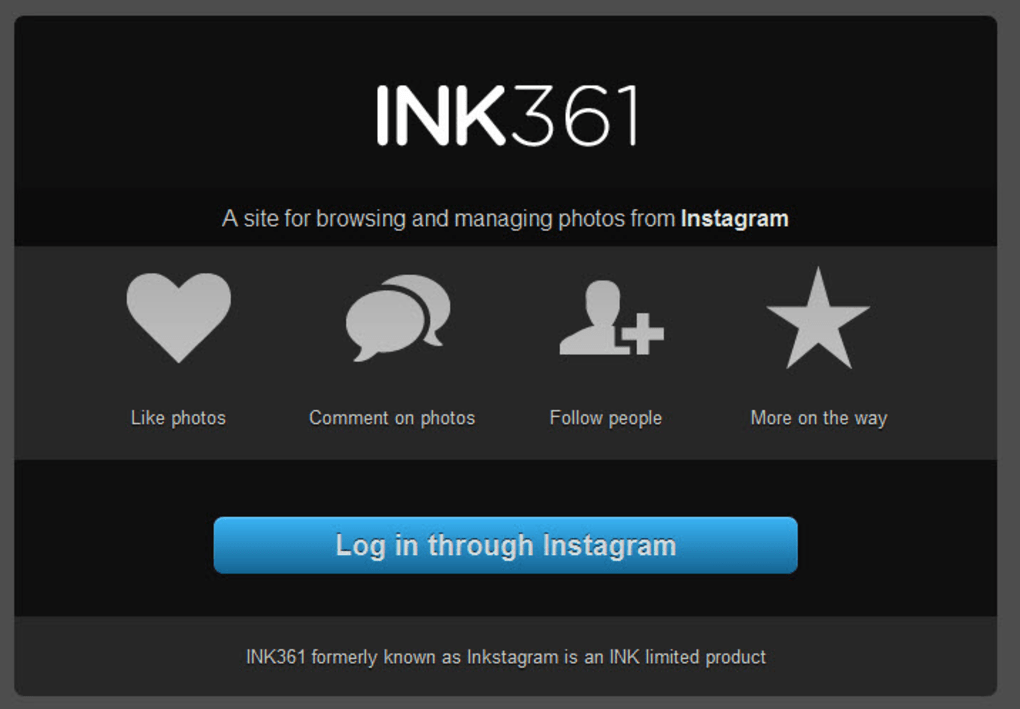
INK361 (formerly Inkstagram) fills a long‑standing gap in the Instagram ecosystem: a dedicated, web‑based client that lets you browse, like, comment, and search Instagram content directly from a desktop or laptop. While Instagram’s official mobile‑only approach works great on phones and tablets, many power users, marketers, and content creators still crave a larger screen and a keyboard‑friendly interface for managing their feeds. INK361 answers that call with a clean, responsive design that mirrors the look and feel of the native app without requiring any downloads or installations.
After a quick login using your Instagram credentials, you can scroll through your personal feed, explore hashtags, and interact with posts just as you would on a smartphone. The platform does not support uploading new photos, but it excels at providing a fast, secure, and ad‑free viewing experience. Because it runs entirely in a browser, the service stays up‑to‑date automatically, eliminating the need for manual patches.
Whether you’re a social media manager tracking brand mentions, a photographer curating inspiration, or simply someone who prefers a bigger screen for scrolling, INK361 offers a practical workaround to Instagram’s mobile‑only limitation.
Key Features & Functionality
- Secure Login: Uses your Instagram username and password with encrypted HTTPS transmission.
- Full Feed Browsing: View your personal timeline, stories (as static thumbnails), and explore the Explore page.
- Interactive Actions: Like, comment, and follow/unfollow users directly from the web interface.
- Powerful Search: Locate content by username or hashtag, with instant filtering and autocomplete.
- Cross‑Platform Sharing: Share Instagram posts to Facebook with a single click, preserving captions and hashtags.
- Responsive Design: Optimized for Windows, macOS, Linux, and even Chrome OS browsers.
- No Ads or Trackers: The free version is ad‑free, respecting user privacy while delivering core functionality.
- Automatic Updates: As a web app, INK361 receives backend upgrades without user intervention.
Beyond the basic interaction set, INK361 includes subtle productivity boosters. Keyboard shortcuts let power users navigate between posts, open comment boxes, and like images without lifting a mouse. The UI also supports dark mode, reducing eye strain during late‑night scrolling sessions. While uploading images remains a mobile‑only feature enforced by Instagram’s API, the ability to quickly like, comment, and share from a desktop makes INK361 a valuable companion for anyone who spends several hours a day managing an Instagram presence. The platform’s simplicity means there’s little learning curve—just log in and you’re ready to engage with the Instagram community.
Installation, Usage & Compatibility
Getting Started – No Download Required
Because INK361 is a web application, the “installation” process is essentially a single step: open your preferred browser, navigate to ink361.com, and sign in with your Instagram credentials. The service supports all major browsers—Chrome, Firefox, Edge, Safari, and Opera—on desktop operating systems. For users on Windows 10/11, macOS Ventura and later, or Linux distributions with modern browsers, the experience is seamless. Mobile users on Android or iOS can also access INK361 via their browsers, though the desktop layout adapts to smaller screens.
System Requirements & Operating Systems
Compatible with Windows 10/11, macOS 10.15+ (Catalina and later), Linux (Ubuntu, Fedora, Debian), Chrome OS, Android 8.0+, and iOS 13+. The application relies on HTML5, CSS3, and JavaScript, so any up‑to‑date browser that supports these standards will run INK361 without issues.
Step‑by‑Step Usage Guide
- Visit the INK361 website and click “Log In”.
- Enter your Instagram username and password; two‑factor authentication (if enabled) will prompt you for the verification code.
- Once authenticated, you’ll land on your home feed. Use the top navigation bar to switch between “Home”, “Explore”, “Search”, and “Profile”.
- To like a post, click the heart icon; to comment, click the speech‑bubble icon, type your comment, and press Enter.
- Use the search field to find users or hashtags. Results appear instantly, and you can follow users directly from the results list.
- To share a post on Facebook, click the share icon and follow the on‑screen prompts to connect your Facebook account.
- Log out at any time via the profile dropdown menu to ensure your credentials remain secure.
The platform also includes a “settings” panel where you can toggle dark mode, enable keyboard shortcuts, and clear cached data. Because everything runs in the cloud, you never need to worry about software updates—INK361’s developers push improvements behind the scenes, ensuring you always have the latest features and security patches.
Pros, Cons & Frequently Asked Questions
Pros
- Free, ad‑free experience with no hidden fees.
- Works on any modern browser—no downloads or installations required.
- Full interaction capabilities: like, comment, follow, and share.
- Responsive design works across Windows, macOS, Linux, Android, and iOS.
- Secure HTTPS login and optional two‑factor authentication.
- Regular automatic updates keep the app current with Instagram’s API changes.
Cons
- Cannot upload photos or stories directly from the desktop.
- Relies on Instagram’s public API, which may limit some advanced features.
- Occasional latency when loading large media-heavy feeds.
- Requires an active Instagram account; no guest browsing.
FAQ
Is INK361 safe to use with my Instagram credentials?
Yes. INK361 uses HTTPS encryption for all data transmission, and it never stores your password on its servers. If you have two‑factor authentication enabled on Instagram, you’ll be prompted to verify the login, adding an extra layer of security.
Can I view Instagram Stories on INK361?
Stories appear as static thumbnails in the feed. While you can’t watch them as full‑screen videos, you can see the preview image and interact with the associated post.
Why can’t I upload photos from my desktop?
Instagram’s API restricts photo uploads to its official mobile apps. INK361 works within those limitations, offering a viewer‑only experience. Users who need to post from a computer can still use Instagram’s “Desktop Upload” feature via the official website, but INK361 focuses on browsing and interaction.
Do I need a paid subscription for any features?
All core features—viewing, liking, commenting, searching, and sharing—are completely free. There is currently no premium tier, making INK361 an excellent cost‑free solution for desktop Instagram use.
Will INK361 work on older browsers like Internet Explorer?
Internet Explorer lacks support for many modern web standards required by INK361. For the best experience, use a current browser such as Chrome, Firefox, Edge, or Safari.
Final Verdict
For anyone who spends a significant amount of time on Instagram but prefers the comfort of a larger screen and a keyboard, INK361 delivers a reliable, secure, and entirely free solution. While it doesn’t replace the full mobile app—particularly for content creation—the ability to browse, interact, and share without switching devices is a major productivity boost. If you’re looking for a hassle‑free way to keep up with your feed from Windows, macOS, or any modern OS, give INK361 a try today.
Overall Rating: 4/5 – solid desktop Instagram viewer with a few feature gaps.



.png)



